


Glam AI: Video & Photo Editor
4.52.93K Reviews
App Specs
- Version
- 1.89.1
- Updated On
- License
- Free
- Downloads
- 5,000,000+
- Developer
- Glam Labs, Inc.
- Categories
- Photography
- Platform
- Android, iOS
Screenshots
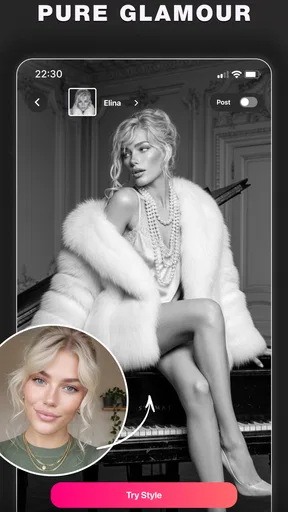
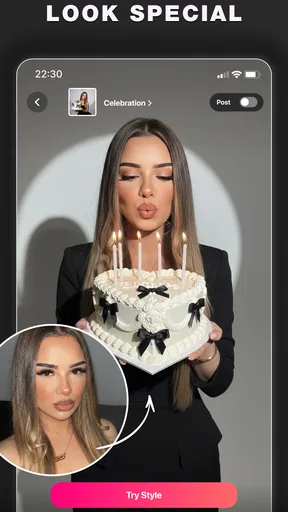
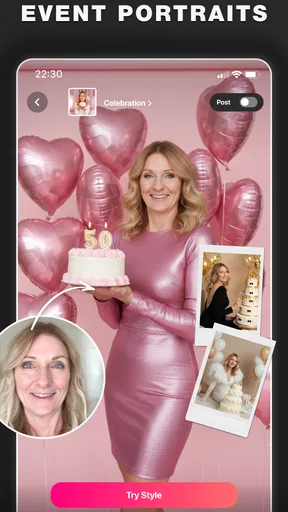
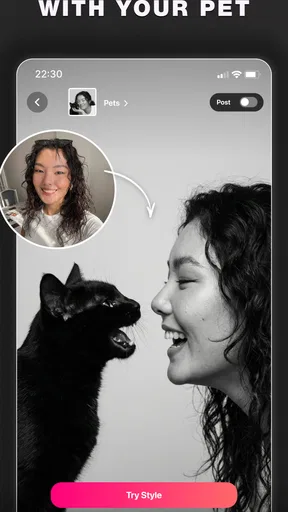
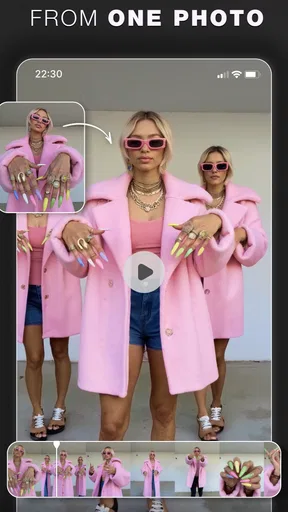
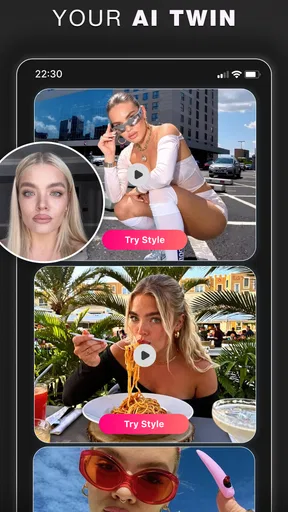
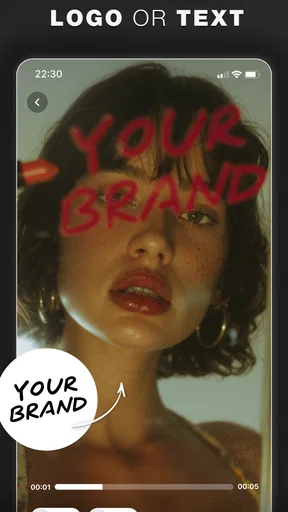
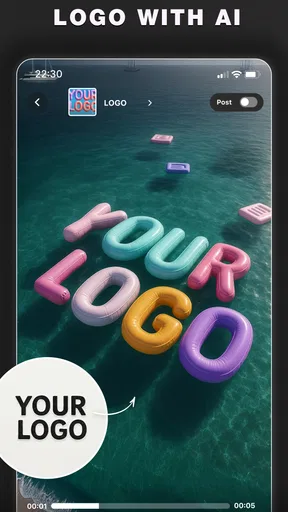
 Analysis by AppCompare
On a shared phone or tablet, a photo editor can quickly become more than a personal tool: someone may want a polished profile picture while another person just wants to brighten a family snapshot. I see Glam AI: Video & Photo Editor as best suited to short, individual editing sessions, where each person brings their own image and decides what to make of it. Its mix of portrait effects and everyday adjustments gives a household several reasons to open it, but that doesn’t automatically make it a shared library or a family account.
Sharing a device without sharing every choice
For a practical household routine, I’d treat each edit as belonging to the person who supplied the photo. Before handing over a device, it’s sensible to agree on which image is being edited and whether the result should be saved or shared. That small boundary matters more with face-focused effects than with a simple crop: a playful transformation can be welcome for one person and unwelcome for another.
I would also avoid assuming that one person’s preferred style should become the default for everyone. A teenager preparing an avatar, an adult touching up a work portrait, and a relative making a birthday clip may want very different results. Glam AI’s range makes those varied experiments possible, but the creative decision still belongs to the person in the picture.
Set expectations before the first edit
There are a few useful questions to settle before a shared-device session: whose photo is this, who gets to approve the finished version, and where will it be saved? These aren’t special settings I’m claiming the app provides; they’re simple household habits that help avoid accidental oversharing or confusion when several people use the same device.
For portraits, I’d keep an untouched original and compare it with the edited result before replacing or posting anything. That is especially useful when an AI enhancement makes skin or facial details look smoother than expected. If the edit is meant for a professional profile, a light adjustment is usually a safer starting point than choosing the most dramatic look immediately.
A little coordination makes the results more useful
Glam AI can fit into a quick family project without requiring everyone to become an editor. One person can choose a few clips, another can help decide which moments belong in the final cut, and the person featured can approve the result before it is shared. Keeping the task that specific is more manageable than trying to turn a phone into a full collaborative production setup.
For a birthday or trip recap, I’d make a short working selection first rather than scrolling through an entire camera roll while everyone waits. That reduces the chance of including an image someone would rather keep private and makes it easier to focus on the actual edit. The app is most helpful here as a convenient finishing tool, not as a substitute for agreeing on the story or the audience.
Worth Reading Before You Choose

Baby Panda World Brings Quick Play to Modern Phones, but Its Game Library Feels Busy

ESPN’s Live Game View Makes Following Close Games Easier

QuizzLand Review: A Good Fit for Short Trivia Breaks, Not Every Player

Basketball Stars: Multiplayer Is Fast, but Can It Recover When Matches Go Wrong?

WEBTOON Turns Phone Updates Into a Better Reading Routine

Link to Windows Runs on Shared Habits, Not Social Feeds
Age, privacy, and trust in a household
The app is rated for Everyone, which makes its audience broad, but an age label is not a replacement for adult guidance when younger users are editing portraits or preparing public posts. I’d talk through what an effect changes and who will see the finished image, especially if a child is making an avatar or a video for social media. A polished result can feel ready to publish even when the person in it has not considered the audience.
Glam Labs, Inc. makes this photography app, which is free to install and offers in-app purchases priced from $5.99 to $149.99 per item. That range is worth discussing before a child or another household member explores paid options. I would check the purchase screen together and decide whether spending is appropriate, rather than treating “free” as a promise that every tool or result costs nothing.
First Impressions and Features
When I first opened Glam AI: Video & Photo Editor, I was greeted by a sleek and user-friendly interface. It’s got this cool, intuitive vibe that makes you want to dive right in. And trust me, it’s packed with features that are both fun and practical.
One of the standout features is the AI-powered editing tools. These are like magic wands for your photos and videos. You can easily enhance colors, adjust lighting, and even remove unwanted objects with just a few taps. The AI does a pretty impressive job at recognizing what needs a tweak and what doesn’t.
Editing Videos Like a Pro
The video editing capabilities are where this app really shines. You can trim, cut, and merge clips effortlessly. Plus, the variety of filters and effects available are just awesome. Whether you’re going for a vintage look or something more modern, there’s something for every style.
And let’s not forget about the music library. Adding a soundtrack to your video is as easy as pie, and the selection is pretty decent. It’s perfect for those Instagram stories or TikToks that need a little extra pizzazz.
Photo Editing Made Easy
On the photo side of things, Glam AI doesn’t disappoint either. The app offers a range of editing options that allow you to tweak everything from brightness and contrast to saturation and sharpness. The AI portrait enhancement feature is a favorite of mine—makes selfies look absolutely stunning without looking overly edited.
Sharing and Saving Your Creations
Once you’ve perfected your masterpiece, sharing it on social media platforms is a breeze. The app integrates seamlessly with Instagram, Facebook, and more, which is super handy. Plus, you can save your edits in high quality, ensuring that all those little details stay intact.
What really caught my attention, though, is how efficient the app is. It runs smoothly without any annoying lags or crashes, even when you’re working with high-definition content. That’s a massive plus in my book!
Where this editor fits—and where it doesn’t
My most useful tip is to decide what the picture is for before choosing an effect. A natural-looking portrait for a work profile needs a lighter hand than an anime-style avatar meant for a chat profile. Starting with the intended audience helps me avoid spending time on an edit that looks striking on-screen but feels wrong once I see it beside the other photos I use.
For a realistic everyday example, imagine I have a few minutes before a family gathering and want to make a short recap from several phone clips. I can trim out the dead time, combine the strongest moments, and add music without moving to a desktop editor. If I instead need precise control over audio levels, detailed color grading, or a carefully organized project with many tracks, I’d choose a more specialized video editor. Glam AI’s appeal is convenience, not a promise of professional timeline control.
That distinction also helps when comparing it with the usual alternatives. A phone’s built-in editor is often the quickest choice for a crop, exposure correction, or simple trim, with no need to explore a separate creative app. A dedicated photo editor may offer more exact manual adjustments, while a social platform’s own tools can be better when the only goal is to publish a post immediately. I’d reach for Glam AI when I want its AI-assisted portrait treatment or a compact photo-and-video workflow in one place.
Small workflow choices that improve the result
When an AI tool removes an unwanted object, I would inspect the edges around the edited area before saving or sharing. A result can look convincing at a glance but reveal an odd texture or background shape when viewed larger. If that happens, a tighter crop may be cleaner than repeatedly trying to repair a complicated scene.
For portraits, I’d compare the enhancement against the original at normal viewing size, not only zoomed in. The goal is usually to look like yourself in good light, rather than to erase every natural detail. If several people appear in one photo, check each face separately: an adjustment that flatters one person may make another look noticeably different.
For video, choosing the clips before adding a soundtrack makes the process calmer. I’d first trim the beginning and end of each moment, then arrange the clips, and only then decide whether music supports the mood. This order avoids polishing a sequence that later needs to be cut down, and it makes a short social clip easier to review with the people who appear in it.
What to expect from the free starting point
The app is free, but its in-app purchases mean I would not assume every effect or option is included at no cost. If I’m trying it casually, I’d explore the available tools first and pause at any purchase prompt to decide whether that specific option is worth paying for. The listed per-item range runs from $5.99 to $149.99, so the sensible approach is to check the actual choice on screen rather than infer the cost of a particular feature from the broad range.
Its current version is 1.69.1, and the minimum operating-system requirement is Android 8.0. That makes the Android compatibility detail useful to check before installing on an older device. The app has a 4.6 average from around 87,000 ratings, with over one million installs; those figures suggest plenty of people have tried it, but they don’t tell me whether its particular portrait style will suit my taste. I’d test it on a photo I’m comfortable experimenting with before making it part of a regular workflow.
One question people often have is whether this can replace separate tools for all their editing. In my view, it can cover quick improvements and playful transformations, but it is not the obvious choice when a project depends on meticulous manual retouching or advanced video controls. Another practical question is whether the result is ready to post: I’d still review the final crop, faces, soundtrack, and intended audience myself. The app helps create an edit; it cannot make those judgment calls on my behalf.
Final Thoughts
Overall, Glam AI: Video & Photo Editor is a solid choice for anyone looking to up their editing game. It’s not just about the fancy features; it’s about how well everything works together to create something stunning. With this app, you’re not just editing photos and videos—you’re creating art.
If you’re keen on exploring your creative side or just want to give your social media content a boost, I’d say give this app a shot. It’s fun, efficient, and pretty much a game-changer in the world of mobile editing. Happy editing!
My household verdict
For a household, I’d recommend it when people want a quick, approachable way to make portraits, avatars, and short videos more expressive, and when everyone is comfortable agreeing on what gets saved or shared. It is less suitable as a shared archive, a carefully managed family workspace, or a replacement for specialist editing software. Its broad appeal and Everyone age rating don’t remove the need to supervise purchases and talk about posting choices with younger users.
Glam AI is worth trying if you value AI-assisted looks and convenient edits more than deep manual control. If your priority is a subtle correction, start gently and compare with the original; if your priority is detailed production, use a more focused editor. That is the balance I’d keep in mind: a handy creative option for everyday moments, provided each person retains a say over their own image.
Pros
- Intuitive interface for quick edits.
- Wide variety of filters and effects.
- AI-powered tools enhance quality.
- Fast processing with no lag.
- Supports high-resolution exports.
Cons
- Limited free features available.
- Occasional in-app ads.
- Watermark on free version exports.
- Requires internet for full functionality.
- Subscription model may be pricey.
FAQs for Glam AI: Video & Photo Editor
What features does Glam AI: Video & Photo Editor offer for photo editing?
Glam AI provides a wide range of photo editing tools, including filters, retouching options, and advanced AI-driven enhancements. Users can adjust brightness, contrast, and saturation, as well as remove blemishes and apply makeup effects. The app also includes tools for cropping and resizing photos, making it a comprehensive editing solution.
Is Glam AI suitable for beginners, or is it more for professional use?
Glam AI is designed with both beginners and professionals in mind. Its intuitive interface makes it accessible for new users, while its advanced features cater to professional needs. Tutorials and guides are available within the app to help users understand and maximize its functionalities, ensuring a smooth editing experience for all skill levels.
Does Glam AI: Video & Photo Editor support video editing, and what are its capabilities?
Yes, Glam AI supports video editing with a variety of features. Users can trim, merge, and add filters to their videos. The app offers AI-driven stabilization and enhancement options, allowing for professional-quality results. Additionally, users can incorporate music, text, and special effects to create engaging video content.
Are there any in-app purchases or subscriptions required to use Glam AI?
While Glam AI offers a free version with numerous features, it also provides in-app purchases and subscription options for advanced tools and effects. These premium features include exclusive filters, high-resolution exports, and additional AI functionalities. Users can decide whether the free version meets their needs or if they wish to upgrade for more advanced capabilities.
How does Glam AI ensure user privacy and data security?
Glam AI prioritizes user privacy and data security by implementing robust encryption protocols and adhering to strict privacy policies. The app does not store personal photos or videos on its servers without user consent, ensuring that all edits are conducted locally on the device. Regular updates are released to enhance security measures further.


